2 WHAT Is OLIVE
Let‘s have a first look at what OLIVE is.
In one sentence OLIVE is:
A model-based representation of connectivity to develop and operate integrated solutions of different applications, user interfaces, data, or protocols
If we, again, look at the sentence in detail, we can see: OLIVE provides a structured representation of connectivity.
It does this through models grounded in a Connectivity Metamodel.
It allows us to both develop and operate connectivity solutions, integrating different applications and user interfaces along the way.
Together, these capabilities enable the OLIVE Connectivity Framework to meet the requirements we identified earlier for connected applications.
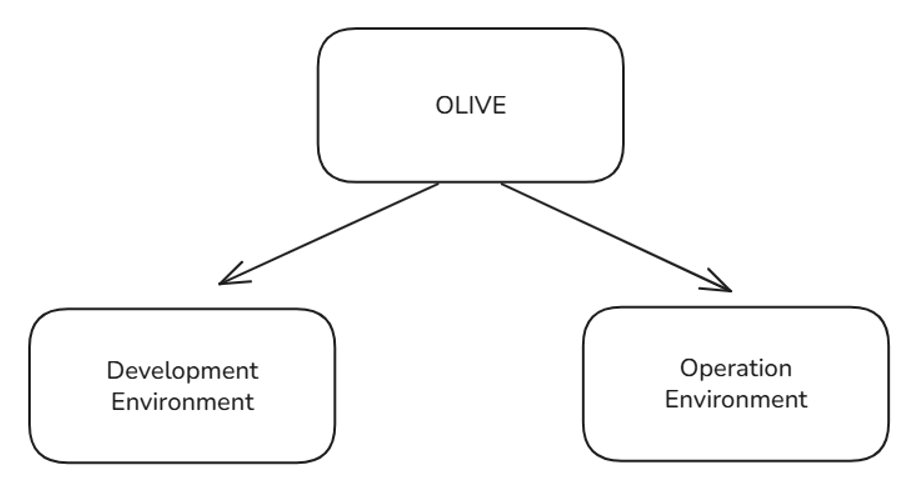
What OLIVE is depends on the lens through which you view it.
On one hand, OLIVE has a Development Environment with tools and applications, supporting the creation of connectivity scenarios.
On the other hand, OLIVE has an Operation Environment with services, utilizing the operation and runtime of deployed connectivity scenarios.
Development Environment
For creating connectivity, the OLIVE Development Environment provides a modelling environment to create connectivity and templates to customize the connectivity.
The OLIVE Development Environment can be installed following the development deployment process documented in the OLIVE Admin handbook.
Key Capabilities
-
Modelling language (MM)
Based on the OLIVE Connectivity Metamodel, enabling structured and standardized connectivity design. -
Model editor
A tool to create and edit connectivity models. -
Catalogue of available services
A browsable catalogue of predefined services and connectable elements that can be used or reused when building connectivity scenarios. -
Collection of sample use cases
Provides starting points for new scenarios as well as a reference library of reusable patterns. -
Extension framework for the modelling language and services
Allows developers to extend the modelling language by registering new handlers (“callers”) that introduce custom concepts not covered by OLIVE’s core mechanisms.
Important clarifications:- OLIVE does not provide a CI/CD pipeline or service-development framework.
- To use an extension, the developer must implement and deploy the corresponding interpreting service themselves.
- Detailed guidance on creating and registering extensions is provided in a separate chapter.
Operation Environment
Once connectivity scenarios have been created, they can be executed in the OLIVE Operation Environment.
This environment makes the models operational by deploying and orchestrating the flow between the connected applications.
Before executing scenarios, the OLIVE Platform must be installed using the production deployment process documented in the OLIVE Admin handbook.
After setup, you typically maintain two installations:
- a development deployment for design and testing
- a productive operation deployment for running scenarios for tenants
Connectivity scenarios created during development can be imported into the productive deployment and made available to tenants.
Key Capabilities
- Core services for interpretation
Interpret and execute the modelled connectivity according to the Connectivity Metamodel. - Core services for orchestration
Orchestrate the intended connectivity and forward information to the correct services. - Services that connect to applications
Growable set of connection adapters and integration points for third-party systems. - Continuous integration and deployment pipeline
Provide an automated pipeline to handle the modelled solution in an operative cloud – including security, validation, and deployment. - Automated tenant onboarding of connectivity scenarios
Enables scenarios to be published once and then onboarded by tenants in a self-service manner by providing tenant-specific configuration.